
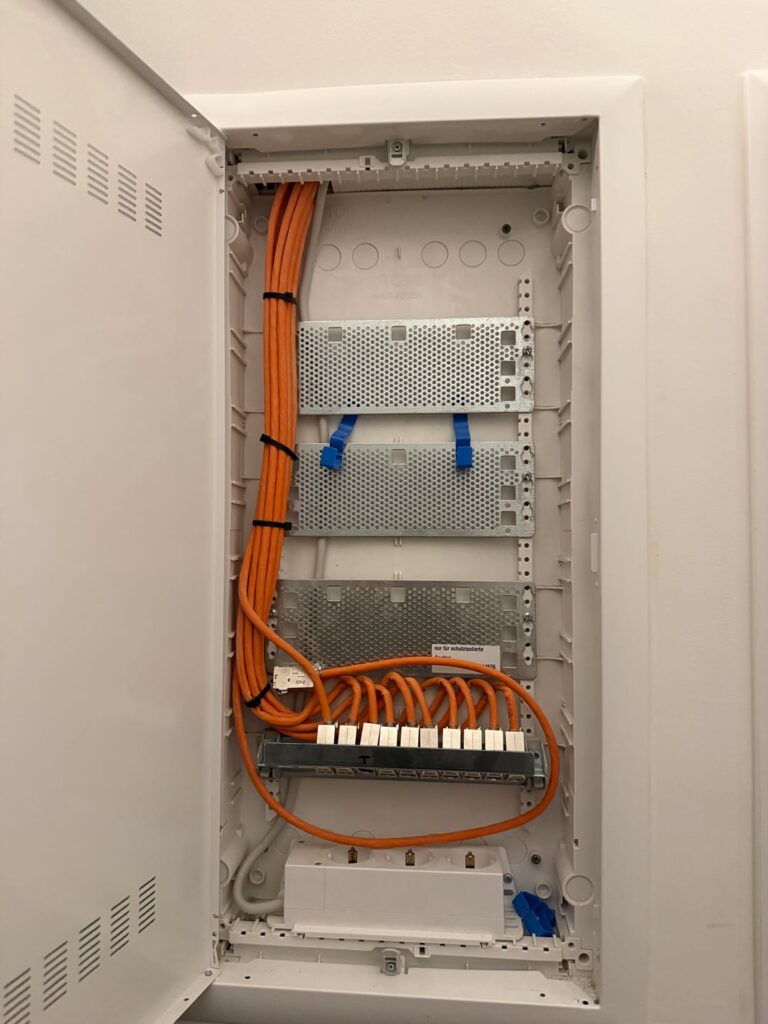
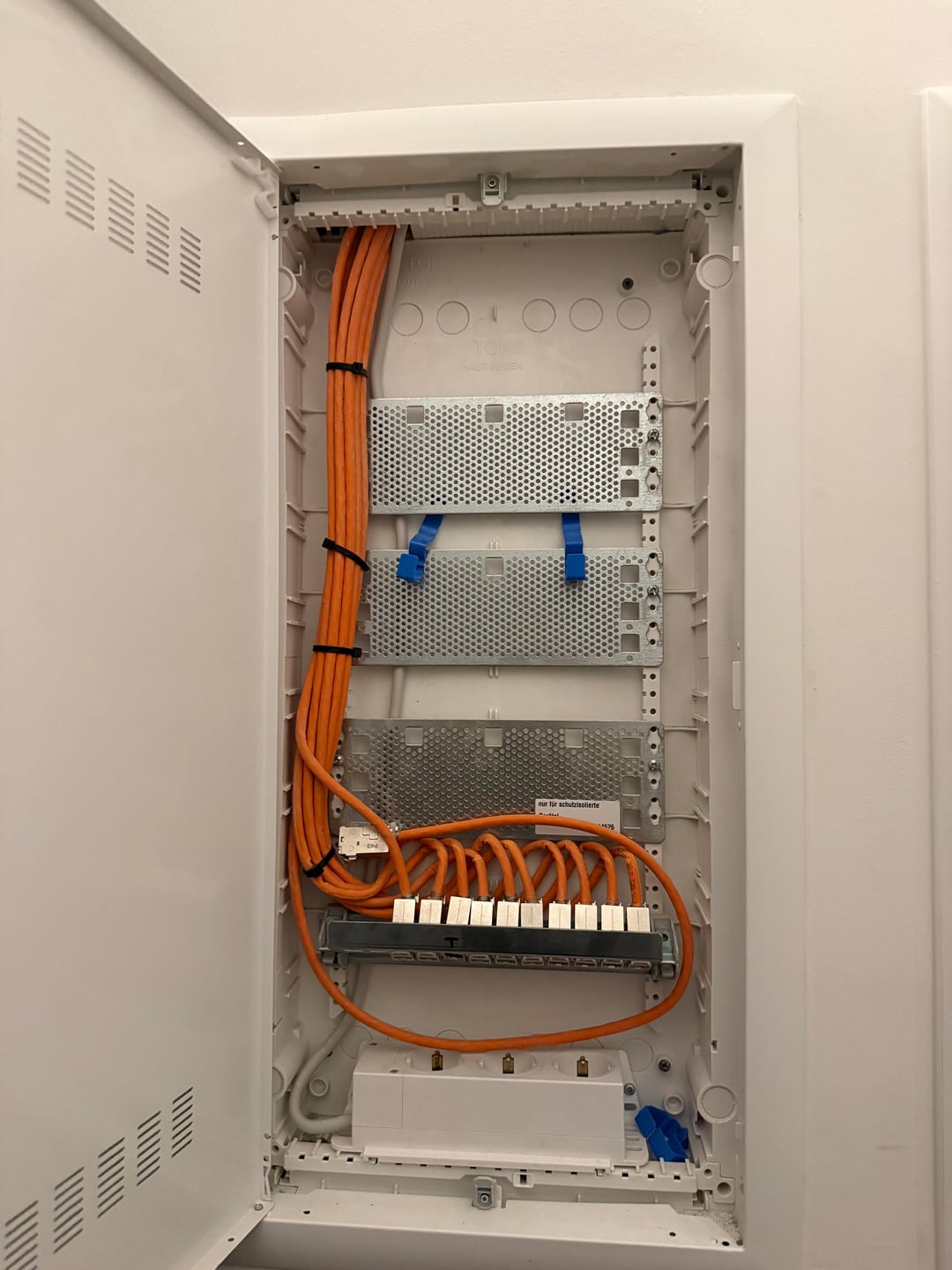
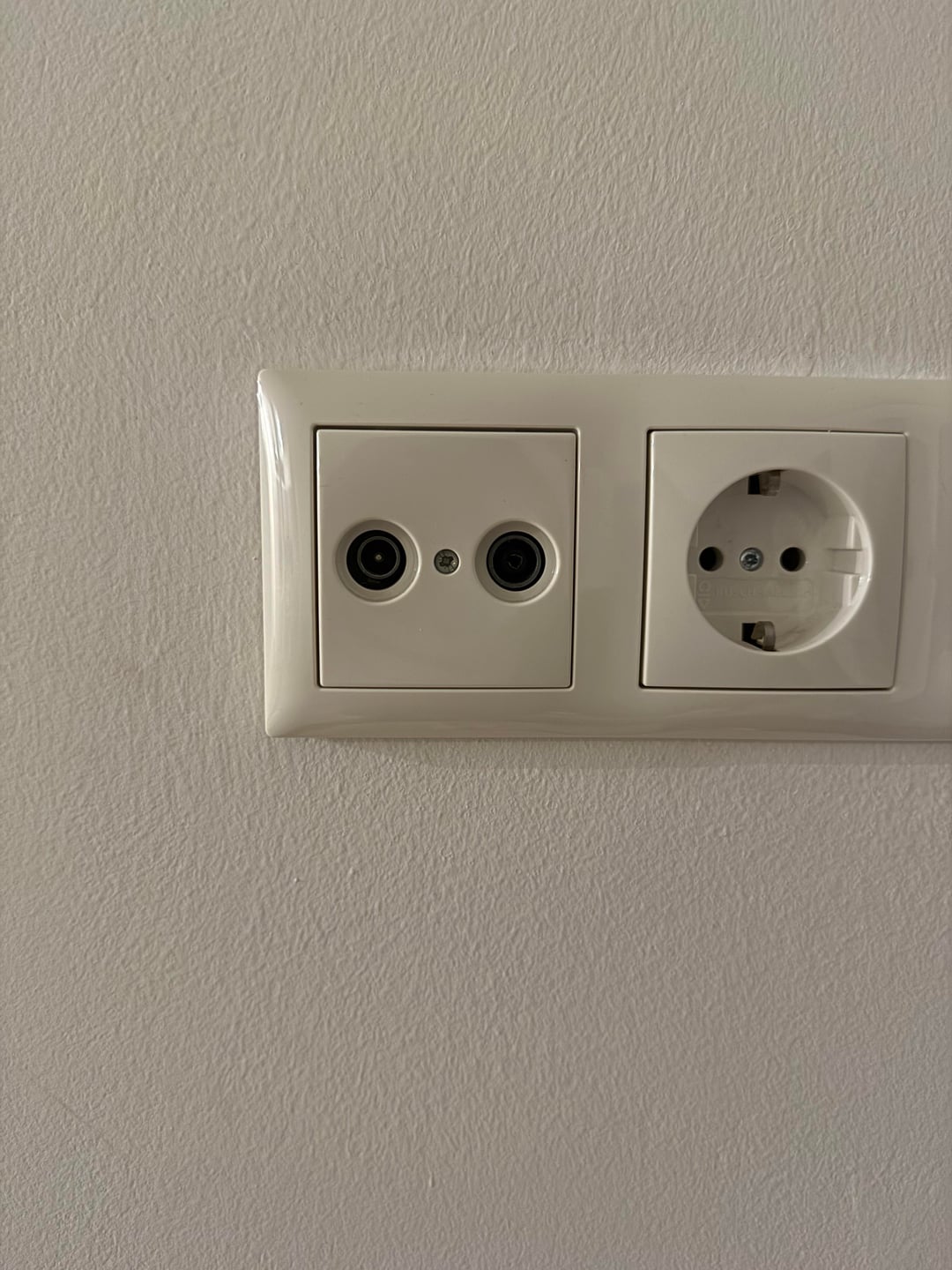
Moved into my first long term apartment. Check24 said DSL was available. From what I understand, a TAE socket is needed for this, but there is no TAE anywhere in the apartment.
There is only the TV ports and an electrical box, only Ethernet cables.
Before I cancel the DSL order and place different order, I just want com confidence in knowing what to look for.
(Owner & Hausmeister are both terribly unresponsive)
https://www.reddit.com/gallery/1pqfs9x
Posted by Alexander_Kraus
8 Comments
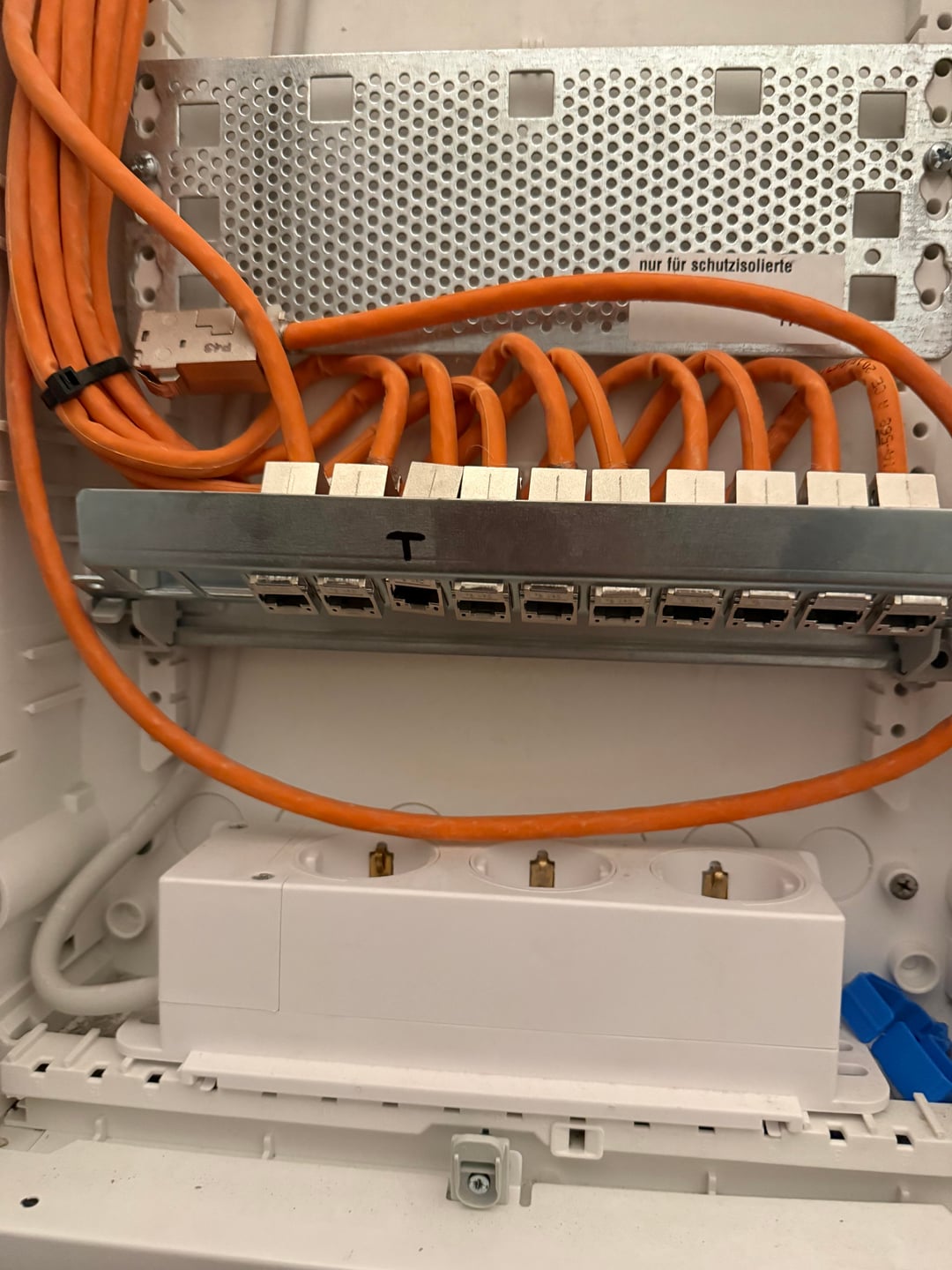
VDSL works with RJ45. I have the same socket where I live. I guess the cable market as „T“ will lead to a room in the basement where all the DSL cables for the house are split up for each apartment
OMG that’s *beautiful*.
Where is all that Cat6 going? With that many cables surely there are wall jacks in every room?
Also how did you get so lucky? Neubau? Dachgeschoss conversion?
The TV port might be only for TV. When I first moved to my apartment I had to call them to replace it. For some reason it only support TV and not internet. The good news that you can change the port and it will work.
Sorry I’m getting ahead of myself. (Just can’t stop envying that you have so many hardlines to distribute your network throughout your apartment. That’s very uncommon.)
But yes, all I see in that photo is your network caninet (or structured media cabinet or “Unterputzverteiler”), with what appear to be 11 Cat6 cables terminated in keystone blocks. (Which is very much the correct way to do such an install. About the only change I’d make is to have also used “smurf tube” but perhaps they have and it’s just not visible in this photo.) That’s an uncommonly high number of cables (in comparison, my current unit only has three, one for each main room) so I’m super curious where they’re all going. Does your place have many rooms? Or perhaps they’ve run multiple cables to each room? In any case, what I *don’t* see in this photo is a TAE socket. Or indeed, anything that appears to be a connection for incoming Internet service.
Like… nothing.
Normally you’d see either a TAE socket here (for DSL) or a coaxial cable (for cable). Or perhaps a fiber optic line.
But none of that is here. The only thing that looks unusual is that, if you look very closely, one of the keystone jacks (the boxy metal connectors at the end of the orange Ethernet cables) appears to have some sort of mark above it made with permanent marker. Third from the left, mark resembles a “T”.
Perhaps that is meant to indicate something? Like maybe your internet is somehow on that line? Which… yeah that’s weird, as it would mean there’s already a switch somewhere else in your building.
Simplest solution is probably just to keep the appointment with your service installer and let them figure this all out.
But yeah, I’d be very much prepared for some confusion and head-scratching when they get there, and you may want to have the Hausmeister on speed dial.
Best of luck!
Slow or very slow.
I have the same setup, there is an inbound RJ45 socket leading from the basement.
The other cables are leading to LAN sockets in each of our apartment rooms – 2 in each room.
Using Telekom DSL until Fibre is available.
Since op’s question appears to have been answered, might I suggest some fun gear for your upcoming network install?
A bunch of great UniFi stuff is on Christmas sale right now. I can’t recommend their equipment highly enough. Absolutely phenomenal “single pane of glass” management for your entire network, but without any annual fees (like Cisco, et al).
You’ll be wanting a gateway, and at least one AP and a switch.
The Cloud Gateway Max is 34% off and is a super-affordable 2.5g gateway. The CGM isn’t *quite* as overkill as the 10g capable Cloud Gateway Fiber (widely considered UniFi’s current new hotness, at least at the lower end of their price range) but since your incoming internet won’t likely exceed 400mb/s, the CGM is more than enough for your needs.
As far as APs go, both the U7 Pro and nanoHD are on sale, with the nano discounted 60% down to an amazing 65€. Depending on the quadratmeter of your apartment and wall construction, either one should likely be sufficient.
The Enterprise 8 PoE (Vintage) is 31% off right now, and would give you 2.5g to 8 of your existing lines.
Better still, both the Cloud Gateway Max and Enterprise 8 PoE would fit neatly inside that cabinet, making your entire install quick and clean.
https://eu.store.ui.com/eu/en/holiday-offer
For more info and help check r/UniFi r/Ubiquiti and r/HomeNetworking
Congratulations and enjoy!
those are hard wired Patch cables, the junction box is where all of the cables go out into the rooms and there are outlets according to the number on the Patch, Often one jack is used for the Incoming landline where you connect your router into it, and the LAN output you patch to the room where you need a wired connection.
the 3rd Picture is a TV Cable outlet to connect your TV or Cable modem with.
the Outlet for LAN is similar looking like the Jacks in the box.